Teneo Platform 7.6.1
Secrets
In this release, we have added a new functionality to the Teneo Platform, Secrets. This is a way allowing users of Teneo to store, manage and use any secret/sensitive information such as API keys, tokens, passwords etc. in a secure and controlled way in the Platform.
We have also ensured that these secret values can be used during Groovy scripts execution in runtime, while still protected and secure. The Secrets functionality involves on the one hand a new type of setting on Account level and on the other hand, for Solutions, a new type of Global Script.
This new functionality is equally accessible and usable from both Teneo Desktop and Teneo Web.
Motivation
The Secrets feature is added to make it possible, straight forward and secure for Teneo users to handle, store and manage sensitive/secret information, such as API keys, tokens, passwords etc. within the Teneo Platform.
This new feature allows to set different permissions for members of a team based on their roles/responsibilities, ensuring that some members of a team can have access to see, update and also use keys or tokens, whereas other users won’t have these permissions. No users can see the values of the secrets. All users can see the name of the secrets.
The Secrets feature can also help making presentations and demos safer and easier, as the presenter doesn’t have to worry about masking sensitive information etc.
Account
On Account level a new type of Setting is added, where users can define a secret with a name, a value and an optional description. The defined secrets are accessible from within all solutions in this account.
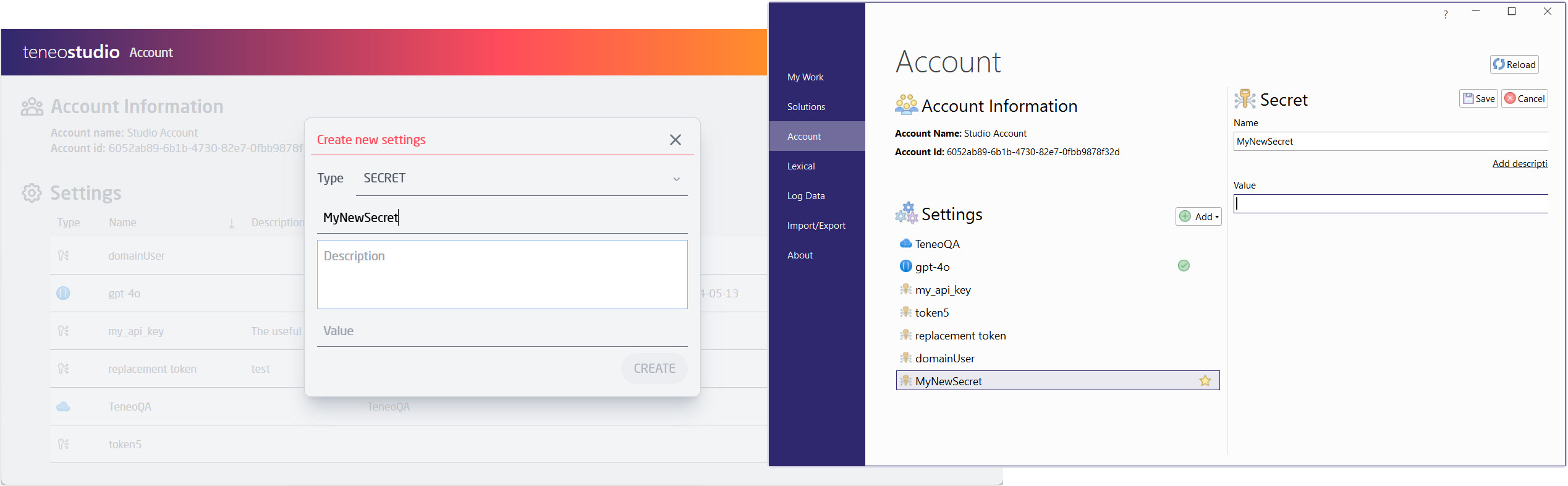
Only users with the right permission (the required permissions are either Modify Account Settings or Teneo admin) can define/update/delete the secrets. Once a secret is created, it is stored encrypted. The value of a secret is never exposed through the Account interface to any user, no matter permissions.
Solution
On solution level a new Global script type - Secret, has been added.
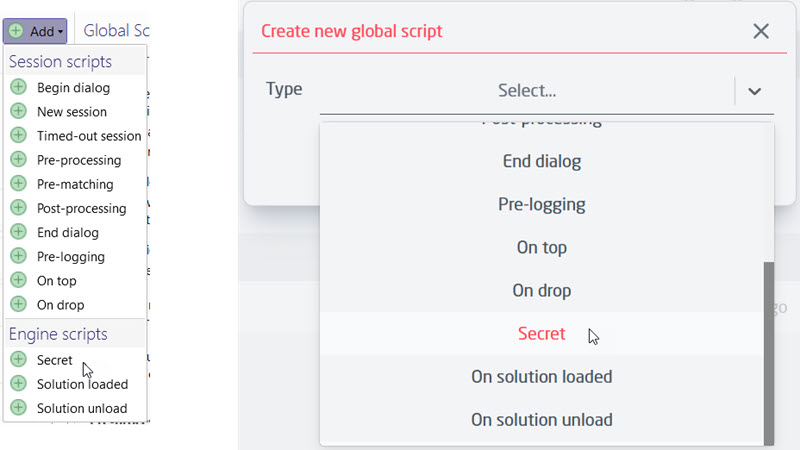
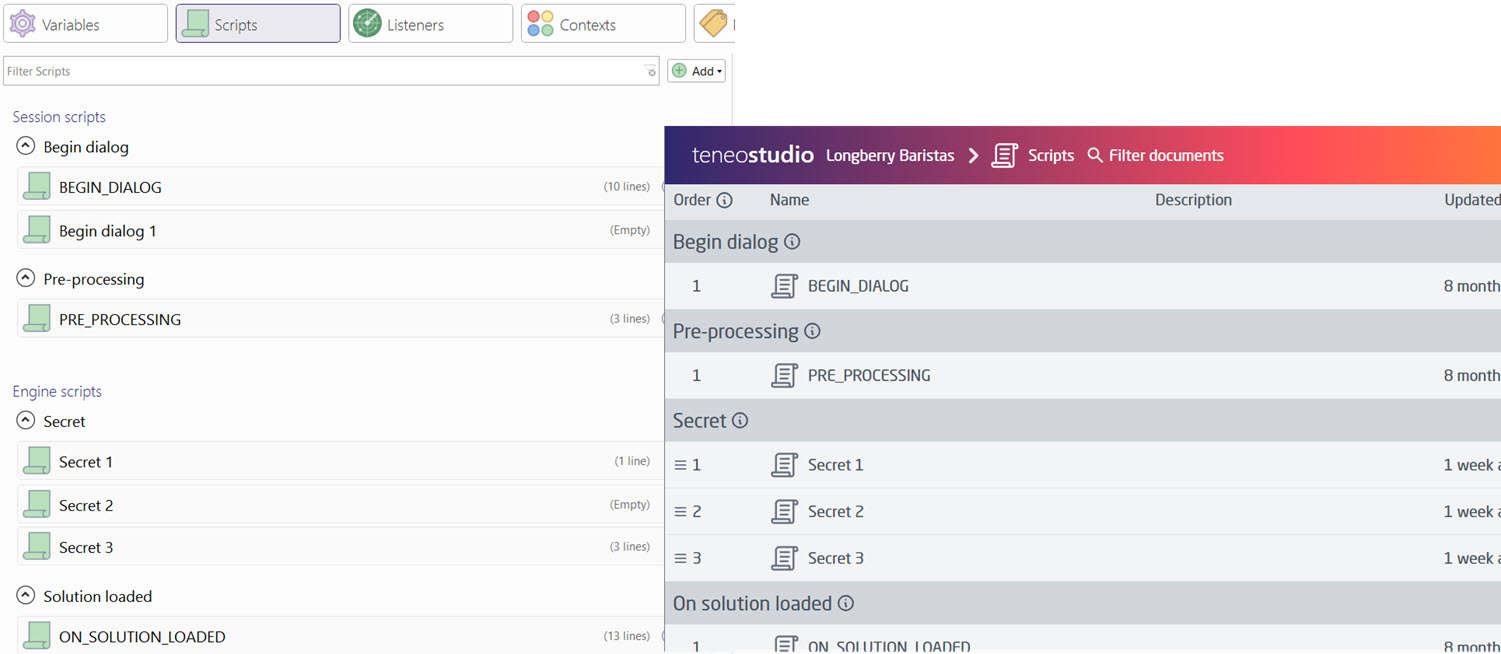
Being an Engine script, Secret scripts have read and write access to solution data, but are not connected to nor have access to any sessions. As they are intended to define utility classes to be used by scripts running later, the secret script types are executed right before the solution loaded scripts by the Engine.
This script type works just as the solution loaded scripts, but in addition, has access to and can make use of any secrets and their values defined under Account - Settings.
Secrets defined under the Account are accessible from within this script type via the super class Secrets, and by using the method:
Secrets.getSecret('name_of_secret')
This method is only allowed from within this script type, no other global scripts or other places in the solution can access secrets with the method, but will throw a warning.
The getSecret method provided by the Engine doesn't permanently store secrets in memory, but rather temporary loads them on request and decrypts them, so that it can return the secret as plain text.
This means that any Secrets scripts have access to, can read, and use the secrets, but do not store them locally, nor log them. As it is a solution loaded script with no connection to sessions, it is not part of the processing path.
The Secret scripts follow same rules for branching as other global scripts, and can, just like the others, be multiple and be ordered.
Only the users with sufficient permissions are able to create, delete or in other way modify Secret scripts. Any user will still be able to view them. Any user, with permission for editing solutions, will be able to set the Secrets scripts to Stable and modify the script ordering.
Best Practices for writing utility classes in Secret scripts
The Secrets and the Secret scripts are encrypted and protected, but it is still of essence that the developers of the Secret scripts take responsibility to ensure the secrets remain protected when writing code by taking into account the following:
- don't print secrets, because they would appear in engine message logs (not to be confused with session logs)
- don’t provide any methods that return any secrets or strings containing secrets and don't store secrets on static class fields, because these methods and class fields can be accessed from normal scripts and thus be used to expose secrets
- utility classes defined in secret scripts should be annotated with
@groovy.transform.CompileStaticto prevent exposure of secrets by using Groovy method interception on the provided utility classes
Worked example
Imagine you have a secret called my_api_key, a Secret script could define a class as such:
@groovy.transform.CompileStatic
class MyAPIHandler extends Secrets {
  static Object getResult(String query) {
    def result = HttpClient.buildRequest()
      .get("http://myapi/query?q=$query")
      .addHeader('API_KEY', getSecret('my_api_key'))
      send();
    return result;
  }
}
Then this class can be used within the solution in other script scenarios for example in an "APIQuery" integration method called "NameQuery":
input parameter: name
output parameter: result
integration script:
return MyAPIHandler.getResult("name=$name")
Security
Security is the main focus of this feature.
The implemented approach ensures that secrets remain so, via :
- encryption (before communication, at rest, at runtime)
- never returning (Studio API) or showing (Studio UI) a secret after it has been set
- only allowing users with appropriate permissions to:
- modify secrets at development time
- write scripts which can handle secrets at runtime.